WPLift is supported by its audience. When you purchase through links on our site, we may earn an affiliate commission.
15 Best Video Player Plugins for WordPress in 2024
Video content is taking the lead in the visual-first marketing strategy. Either creating a playlist of video tutorials or an inspiring brand video can have a measurable impact on your business’s bottom line. However, after the creative part of the job is done, you need to find the best way to add videos to your WordPress website.
Default WordPress functionality allows you to embed videos without plugins, and customize them by adding primary attributes. However, if you need more flexibility and features, the best way is to use a WordPress video player plugin.
You will be spoiled for choice because there are a bunch of free and paid solutions ready to put your video to work.
But, which one is the most appropriate for your needs? Before introducing you to the best video player plugins for WordPress, let’s first create a checklist of the things to consider when choosing a WordPress video player. By paying attention to these details, you can choose a plugin on the go!
Let’s make things easier by breaking it down into several sections.
What sort of WordPress video player plugin do I need?
Good question. There are several types:
- A fairly simple WordPress video player suitable for featuring several key brand videos. For example, an overview of your product or service on the website landing page. In this situation, any video player plugin with a good reputation and price-performance ratio will do.
- A rather complex WordPress video gallery plugin for building mid-sized and massive video directories featuring tutorials, game reviews, and course playlists. In this scenario, you may not only need a well-structured gallery layout to organize your videos but also more advanced functionality like video search, filters, the ability to add custom details to each video (description, length, author), along with a highly flexible video gallery customization toolkit or even an option to let users download your videos! These are all key things to assess when choosing the best video plugin for WordPress.
- E-commerce functionality to sell your videos. When this is the case, you might not be able to get by with a dedicated WordPress video gallery plugin. Still, you will need a specific WooCommerce plugin like WooCommerce Product Table or a video plugin with e-commerce integration.
FYI: If you are looking to embed a background video, we recommend searching for a WordPress theme that supports this option out of the box. For the vast majority of WordPress websites, this is a more seamless solution than connecting any third-party video player plugin.
Where to host your WordPress videos
Along with images, videos are the heaviest asset of any website. No surprise, large-sized videos and galleries with too many visuals containing video slowdowns the loading.
If you opt for self-hosted videos (stored on your WordPress website server), well-trusted WordPress video player plugins should be high on your list.
Since it’s a general recommendation to put extra efforts into optimizing your WordPress website for playing self-hosted videos, the hosting and video player plugin should be reliable in the first place.

Article Continues Below
Remember, self-hosted video players aren’t the best option for high-quality videos, which are continuously added to your website and will eat up your server’s space significantly!
If you host your videos offsite with the popular services like YouTube or Vimeo, lots of problems vanish at once. First off, you don’t need to worry too much about performance as your videos are hosted elsewhere. Moreover, those hosts automatically re-encode your videos to work on all modern devices, and across all browsers (something you might need to go about manually with self-hosted videos). So, your task is easier – to choose a specific functionality you need in a WordPress video player plugin, and not wrack your brain around tech stuff.
However, if you need to embed just a couple of brand videos, self-hosted videos may be a better way to go since they are unbranded and don’t distract website visitors with annoying ads.
The vast majority of WordPress video player plugins support both of these types.
A quick checklist of things to consider when choosing a WordPress video player plugin
- Make sure a WordPress video player comes with a great range of customizable skins to be integrated beautifully into your WordPress theme. You should be able to have a good level of control over how the videos look and work.
- If you need to embed only specific types of videos hosted offsite (e.g., YouTube), going with a dedicated plugin like Yottie (one of the most used YouTube gallery WordPress plugins) might be a better option. Such HTML 5 video plugins are packaged with dozens of options related to just one video host and do not force you to bear the burden of tons of never-used extra features.
- Consider the SEO capabilities of the video player or the WordPress video gallery plugin. It’s important that the plugin allows you to write video descriptions, titles, output the needed metadata, author, and every piece of info that helps your videos get indexed properly by the search engines.
- If you need a user-friendly lightbox pop-up functionality instead of just playing videos on a page, make sure that it’s supported by default. Some vendors offer this option as an extra add-on, but with others, the lightbox pop-up functionality is included in the plugin’s core features.
- Put yourself in a client-facing role – is a player speedy enough and intuitive in use? If possible, try to play demos or perform stress testing if the plugin is free.
- For self-hosted videos, check whether social sharing integration is supported. If there are lots of videos, and you want to allow viewers to easily share individual ones across their accounts, make sure the WordPress video player plugin supports this feature. Basically, if each video is played in an individual WordPress post, this should not be such a problem. But if you are working with a custom gallery and lightbox pop-up, you’ll have to double-check if this option is available.
- Want to show the number of views indicator with each video? A vast majority of video gallery plugins provide this option by default.
- For offsite hosted content, check for an easy connection with video host API for automatic playlist updates, and a whole bunch of options.
- Look for advanced video options: multiple video quality, private and password-protected videos, support for subtitles, etc.
- A general rule of thumb is to pay special attention to regular updates and good reviews of the plugin.
15 Best WordPress Video Player Plugins
Now that we’ve managed to help you sketch out your own checklist, let’s dive into the collection of the best WordPress video plugins we have carefully selected!
1. Elite Video Player
To keep on track with the rapidly growing VR technologies, YouTube 360 VR & Livestreaming support is built right into the base plugin. If your website deals with events, HTTP live streaming may also come in handy. Lightbox mode for all types of videos is available.
Elite Video player supports videos hosted from Google Drive, Dropbox, Amazon S3 & Amazon cloud drive videos. If you need to show an image or a gif instead of a video, it’s also doable.
The plugin is customizable, works with a wide array of website builders, and automatically detects unplayable video sources. Optionally, you can use the Elite Video Player to display VAST, VMAP, Google IMA, or custom ads.

Key Features
- Customize the plugin as per your needs.
- Compatible with YouTube 360 VR videos.
- The plugin provides you with cross-platform and cross-browser support. It means your video player works well on desktops & mobiles.
Article Continues Below

Pros
- It is compatible with Google Analytics.
- It works well with various different types of playlists.
Cons
- Customer support is limited.
- You need to put some extra time & effort into setup.
Pricing:
- Regular license costs $39, and comes with a 6-month support.
- Extended support for 12 months is available at $51.
2. Video Gallery
Being superior in features, the plugin is used on thousands of WordPress websites. It easily deals with multichannel galleries, YouTube API, deep linking (generating individual URLs for all videos), and MPEG-Dash for high-quality streams.
Among other standout features is drag & drop video gallery builder, .srt subtitles files support, metadata for SEO, and easy social media sharing buttons for each video, and that’s not just the limit! A built-in Analytic tool will help you keep track of how your videos are performing.
Besides five skin presets, the player has a skin builder that lets you create custom skins. Its admin panel puts all player’s functionalities at your fingertips, and allows you to import two or more videos simultaneously.

Key Features
- It comes with a highly responsive video player.
- It offers 5 skins for the video player.
- The plugin allows you to set a playlist image, and preview it.
- It lets you play the videos in full-screen.
Pros
- It is user-friendly and quick to set up.
- It comes with excellent customer support.
Cons
Article Continues Below

- It has limited features.
- It offers less flexibility.
Pricing
- It costs $26 for a regular license and comes with 6-month support.
- Get extended support for 12 months by paying $5.63 extra.
3. YouTube Embed
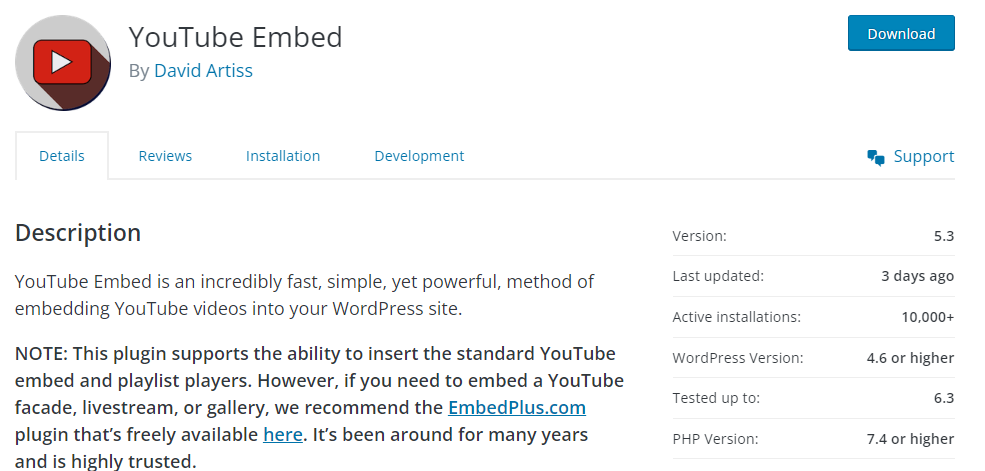
The plugin lets you integrate YouTube videos into your video player efficiently. The plugin offers a quick and effective method to generate a playlist of videos based on your username, and integrate them into your site. You can also integrate playlists that are already present on your channel. Hence, it is also known as one of the best YouTube plugins for WordPress.
The most amazing thing about the plugin is that it creates relevant metadata for your videos. This metadata eventually helps you rank higher on the search results.
Another great thing about the plugin is that it allows you to modify details in the description of a video using a shortcode.

- It enables you to create multiple profiles, and use them for different videos.
- The plugin works well with various Video SEO for WordPress, a3 lazy load, WordPress Video Overlay Ads, and more.
- It provides a player that can play 4k videos efficiently.
- Videos get automatically resized based on the theme’s needs.
Pros
- It is most suitable to display YouTube videos on your site.
- The plugin lets you turn off the tracking cookies.
Cons
- The plugin offers limited documentation for integrating videos & playlists.
- Limited styling options.
- It doesn’t give the option to include thumbnails.
Pricing
- Absolutely free.
4. YouTube Vimeo Video Player & Slider
Users love this plugin for its ease of use and intuitive design. To help you get your YouTube and Vimeo videos organized inside a beautiful gallery, you can use fixed and full-width players, customize colors and borders, set different parameters and more.
The plugin automatically obtains descriptions, thumbnails, and titles for all YouTube videos. The player has 16 transition effects that allow you to create eye-catching photo slideshows. Its text elements functionality enables you to add multiple text layers to your pictures.

Key Features
- The plugin gives you an option to automatically read & load video thumbnails, titles, and descriptions from YouTube servers.
- It lets you change multiple parameters, border, photo transition effects, layered text elements, and more.
Pros
- The customer support is amazing.
- Add videos from YouTube & Vimeo player.
- It lets you include an image slider with animated text.
- You get some video tutorials to become familiar with the plugin.
Cons
- It is somewhat challenging to customize.
Pricing
- It costs $15 for a regular license, comes with all the future updates, and 6-months of support.
- For extended support of 12-months, you need to pay $3.75.
Get YouTube Vimeo Video Player
5. All-in-One Video Gallery
As the name suggests, the plugin lets you build a wonderful video gallery. The plugin is created with the purpose of content marketing, lets you convert all of your blogs into video blogs, and helps you stay ahead of the competition. It makes the entire task of video management on your website like a walk in the park.
The plugin allows you to create videos in a wide range of formats, and then build highly searchable, scalable, and SEO-optimized video galleries. The best thing about this plugin is that you don’t need any coding knowledge. It allows you to create videos in minutes for your site, and even embed videos from the most popular video hosting platforms like YouTube, Vimeo, Dailymotion, Rumble, Facebook, etc.

- It offers a custom HTML5 video player that supports different video formats like MP4, WebM, OGV, HLS, MPEG-DASH, etc. It even provides player controls and player options.
- Option to enable or disable social media sharing and subtitles.
- It comes with multilingual compatibility.
- The plugin integrates well with Gutenberg Blocks, Shortcode Builder, and Sidebar Widgets.
Pros
- It lets you change the look of your player with your brand and colors.
- The plugin is best suited for testimonial videos and popup ads.
- Embed code from third-party video-sharing sites.
- GDPR compliant.
Cons
- It is expensive.
- Customer support is not up to the mark.
Pricing
- Free plan.
- The pro plan costs $4.99 per month, and comes with features like gallery templates, supports additional video formats, etc.
- The business plan costs $9.99 per month, and has all features of the pro version plus some additional features.
6. Universal Video Player
The plugin supports YouTube, Vimeo, and self-hosted videos, so you can easily add your brand videos or integrate playlists from external video hosting platforms. For self-hosted videos, you can enable website visitors to download the video – perfect for restricted content areas and membership WordPress websites.
Installation is straightforward, and it takes a few minutes. Once you activate the plugin, you can use Google Analytics to track metrics for each video you add to your site. The player features black and white skins only.

Key Features
- The plugin lets you customize the color scheme to integrate the same in an audio player in a design.
- Integrate title, thumbnail, and description from the YouTube servers.
- The plugin offers more than 85+ parameters to customize the player as per the need.
- It even lets you change the logo and the skins in the player.
Pros
- It comes with great customer support.
- A huge number of customization options are available.
Cons
- It is somewhat less flexible.
Pricing
- The plugin costs $20 for a regular license, and comes with 6-month support.
- To get extended support for 12-months, you need to pay $5.63.
7. YouTube Channel Gallery
YouTube WordPress Gallery is a well-known video player plugin that lets you display videos from YouTube.
The best thing about the plugin is that it lets you control almost any aspect of your YouTube video gallery, including the video feed type, player type, video order, dimensions, progress bar, video quality parameters, YouTube logo, and related videos or thumbnail resolution.
The player can help improve a site’s SERP because users can tweak video descriptions and titles whenever they want. What’s more, you can connect this WordPress video plugin to your AdSense account, and monetize video views.

Key Features of YouTube Gallery Plugin
- The plugin is highly customizable. It provides you with 100+ adjustable parameters, 4 color schemes, and 16 languages.
- It lets you add widgets using three different ways: shortcode, sidebar, and visual composer.
- The plugin is highly responsive and adapts to the size of the screen.
Pros
- It is user-friendly and quick to configure.
- They provide excellent support.
- The plugin allows you to customize the design of the video player as per your needs.
- Great user-interface.
Cons
- No cons found.
Pricing
- The plugin costs $49 for a regular license.
8. Ultimate Video Player
Ultimate video player is the number one video player plugin available in the Envato market. Since its release in 2006, the plugin has improved to a great extent considering its features, usability, and beginner-friendliness. The plugin is now trusted by over 25,000+ clients across the globe. Hence, it can be regarded as the best video plugin for WordPress.
The video player plugin is loaded with a range of features, and transforms the way you present videos on your website. It comes with a responsive video or audio player, which has an easy-to-use interface, and lets you stream videos from YouTube videos or Vimeo / Vimeo Pro videos.

- The video player is customizable, and you can adjust it accordingly to fit into the particular website design.
- The video player also supports live streaming in different languages. It comes with a lightbox player, which serves videos whenever the user clicks on it.
- You can integrate this plugin with Google Analytics, and get detailed video metrics.
- The plugin lets you load videos from HTML markup, XML file, mixed playlist, video folder (mp4 files), audio folder (mp3 files), YouTube playlist or channel, Vimeo playlist, or Vimeo album.
- It even supports encrypted videos, which are made by the coaches or creators.
Pros
- It provides more than 10 skins to customize the player.
- Users get an option to change the video quality.
- It also allows users to watch the videos on the full-screen.
- The plugin comes with extensive customer support.
- It offers an option for social media sharing.
Cons
- There are several styling issues in the plugin.
- The plugin requires some technical expertise.
- It might be expensive for several users.
Pricing
- It costs $69 for a regular license, and comes with future updates & 6-month support.
- To get extended support for 12 months, it costs $21.
9. Easy Video Player
The plugin allows you to control the player size and ratio, skins, loop, video player template, and more. It’s very easy on customization, and is not bloated with excessive features.
You can add this HTML 5 player plugin several times to the same page, and decide whether to enable or disable video descriptions. You can control how much space the player will occupy on each page by defining its width, height, and borders.

Key Features
- Embed videos using poster images, Video.js player, and WordPress media library.
- It is really quick to set up.
- It comes with a super clean video player.
- The HTML5 video player is compatible with all the popular web browsers.
Pros
- The plugin offers a highly intuitive interface.
- It allows you to change the appearance and behavior of the videos you have embedded.
- The plugin provides a responsive player that works well on various screens and devices.
- It supports various video formats, making it easier to upload & display different types of videos on your site.
Cons
- It has limited features as compared to other WordPress video player plugins.
- The plugin might not be compatible with various other WordPress plugins.
Pricing
- It is absolutely free!
10. Videojs HTML5 Player
It is one of the most popular HTML5 video player WordPress plugins. With this plugin, you can embed MP4 videos into standard WordPress posts and pages, embed HTML5 videos, use videos with poster images, play videos directly from your Media Library in a shortcode with a link, and more options. Overall, the plugin is very clean, lightweight, and powerful.
The plugin doesn’t require setup after installation, and will automatically play videos once the page render is complete. The fact that the plugin has more than 10,000 installations is yet another reason why Videojs is considered one of the best HTML5 video player plugins for WordPress.

Key Features
- The plugin allows you to integrate HTML5 videos that work efficiently on all browsers.
- It even allows you to add a feature where video players automatically play the video when the page is rendered.
- It lets you integrate videos directly from the WordPress media library.
Pros
- It is quick to set up and use.
- It works well with the latest version of WordPress.
- The plugin offers a sleek player without any watermark.
Cons
- The player supports MP4, WebM, and OGV format videos. However, integrating both MP4 and WebM formats for videos won’t guarantee WebM playback since the player prioritizes MP4.
Pricing
- Absolutely Free
11. Flowplayer 6 Video Player
The base framework of this plugin is known for its outstanding performance, huge customization options, and incredible user experience. It regards itself as the world’s most reliable, easy-to-use, and feature-rich video player.
Flowplayer 6 is perfect for online businesses that want to monitor the statistics for each of their videos because it has built-in functionalities that track video views. Installing this plugin on your WordPress site will enable you to use Google Analytics, slow motion feature, or enable video subtitles.

Key Features
- It has built-in video player statistics.
- Create a custom start and end screen for your player.
- The plugin has advanced features not even present in various expensive plugins. These include Google Analytics, Cuepoints, Native fullscreen, Keyboard shortcuts, Subtitles, Slow motion, Random seeking, and Retina Ready.
- FVPlayer offers massive features like AutoPlay, AutoBuffering, Popup Box, User Uploads, Enable Post Thumbnail, and more.
Pros
- It is a fully responsive video player.
- The plugin is highly customizable.
- Highly enhanced customer support.
Cons
- The free version comes with a watermark.
Pricing
- Free version
- Pro version costs $100.
12. Advanced Responsive Video Embedder
The best thing about the plugin is that it allows you to achieve many things without much hurdle.
Installing the Advanced Responsive Video Embedder might be a good idea if you want to ensure your site loads quickly. The plugin’s Lazyload feature shortens the site’s performance by eliminating the need to load an entire video.

Key Features
- It is SEO-friendly and lets you include title, description, date, etc., efficiently.
- It supports more than 40+ video hosts.
- Set custom URL parameters.
- The plugin allows you to conduct real-time video editing.
- It also has a pro version with various features like Lazyload, Lightbox, etc.
Pros
- Extensive Customer support.
- The plugin works well with Classic & Gutenberg Editor.
Cons
- Limited Autoplay
Pricing
- Free Version
- Paid Version costs €40.
Get Advanced Responsive Video Embedder
13. Brid Video Easy Publish
It’s a great free solution for creating customizable and powerful WordPress video galleries that can easily match your website branding.
Bird Video Easy Publish allows you to monetize video content through VPAID 2.0 or VAST ads. The plugin is free, but you’ll have to cover a small fee if you need hosting services or want to encode videos.

Key Features
- The HTML5 video player
- The plugin lets you search through the gallery, add video titles & descriptions, and make customizable video playlists.
- Leverage custom-designed HTML5 skins in your player.
- It offers powerful analytics to track how videos are performing.
Pros
- It is great when we consider video monetization ads.
- Detailed documentation, and excellent support from the team.
Cons
- Live streaming offered by the plugin is not up to the mark.
- With too many features, some users have found that the plugin is difficult to use.
Pricing
- Free Version
- Starter plan costs $49 per month.
14. HTML5 Video Player by bPlugin (WordPress.org)
It is yet another well-known HTML5 video player WordPress plugin. The authors state that if you sell videos on your site, you can use this plugin to offer a preview for unlimited videos. Using shortcodes, you can embed a video on any post or page.
The player has compact dimensions, and won’t occupy too much space on a webpage.

Key Features
- It supports various video formats like MP4, WebM, OGG, and FLV.
- The plugin lets you create & manage video playlists. It even allows you to customize the video player using different skins and color options.
- The plugin is SEO-friendly. It generates schema markup for videos, ensuring search engines can easily understand your video context.
Pros
- Highly versatile and feature-rich plugin.
- It has a user-friendly interface.
- It allows you to integrate HTML5 and professional videos into your WordPress site.
- This HTML5 WordPress video player plugin works perfectly in all major browsers.
Cons
- Various users have complained that the autoplay video files feature is not working correctly.
Pricing
- Free Version
- Pro Version costs $30 for a single site, $75 for three sites, and $299 for a WordPress developer.
Get HTML5 Video Player by bPlugin
15. HTML5 Video Player (CodeCanyon)
HTML5 player brings minimalism and higher-quality streaming to your videos across all major browsers. MP4 and .WebM video files are supported. For better SEO, this WordPress video player supports custom video titles and descriptions.
The player offers 5 beautiful skins, so finding the one that matches your site’s style won’t take long. Depending on the option you choose, the plugin lets you place the playlist below or next to the display, but you can also opt to exclude the playlist.

Key Features
- The plugin allows you to integrate a player multiple times on one page with the same or different skin.
- The plugin lets you customize various parameters in the video player, like height, width, playlist width, border width & color, etc.
- The player supports .MP4 and . WEBM video file formats.
Pros
- Get a simple video player with multiple skins.
- Include video player at different locations on the page as per your need.
- You get complete control over the video player, and provide users with a YouTube-like experience.
- Great customer support.
Cons
- No cons found.
Pricing
- It costs $20 and comes with 6-month support from LambertGroup.
- To get extended support for 12 months, you need to pay $5.63 extra.
Conclusion
We hope you liked our list of the best video player plugins, we have shared. All the plugins have their own pros and cons. The selection of the right plugin varies based on your requirements and goals. However, we recommend you choose a plugin considering its user-friendliness, compatibility, and customization.
All the plugins we have shared are suitable for beginners as well as experienced video editors. By selecting the right video player plugin, you can include the right set of videos in your WordPress site, and provide a better experience to the users.
Which plugin do you like the most? Feel free to share your thoughts in the comments below.
Frequently Asked Questions about Video Player Plugins for WordPress
How to Embed a Video on WordPress?
The fastest and easiest way to embed a video on a WordPress website is to paste its URL into WordPress’s Visual Editor.
For adding a video to your website, simply open the YouTube video link in your browser, copy its URL, and paste it into the Visual Editor. WordPress will automatically embed it!
Optionally, you can use the iFrame method to embed videos on WordPress.
- Open a YouTube video in your web browser and click on the Share button below it.
- Choose the Embed option that pops up on the screen and copy the iFrame code.
- Go to WordPress’s Visual Editor and switch from visual to text mode.
- Paste the code
How Do I Add a Video Player to My Website?
The steps you must take to add a video player to a website depends on your chosen plugin.
However, in most cases, installing and activating a video player plugin for WordPress is a straightforward process. Here’s what you have to do after buying and downloading a video plugin.
- Go to WordPress’s Dashboard and open the Add New Plugins tab
- Click on the Upload button, search for the plugin file on your computer’s hard drive and import it into WordPress.
- Hit the Install Now button once the file becomes visible in the Add New Plugins tab
- Activate the video player plugin after the installation is complete.

 Related Articles









This is a great huge list! Thank you! Extremely useful!
Nice collection of video plugins. Thank you!